What Are Express Payments
On this page
- What is an Express payment?
- Turning Express on
- Choosing Express when you pay a bill
- How much does an Express payment cost?
- Getting a paused payment moving again
- Express Payments — FAQ
- Do I have to use Express?
- Is this a hidden fee?
- Is it a penalty for a late or delayed payment?
- Why is there a fee at all?
- Can I express a check?
- Will expressing one payment delay another?
- Is there a limit to how much I can express?
- When does my expressed payment actually send?
Express lets you send a bill payment today — with a guaranteed arrival date — instead of waiting for your incoming deposits to finish clearing. You only pay a small fee on the part that hasn't settled yet.
Applies to ACH (Direct Deposit) bill payments · Optional on every payment.
What is an Express payment?
When you send a payment, the money leaves your account once your deposits have fully settled at the bank. For most payments that happens quickly — but bank transfers (ACH) take about two business days to settle, so sometimes a bill is ready to go except that the funds covering it are still on their way in.
Express lets you skip that wait. For a small fee, Truss advances the portion that hasn't settled yet so your payment goes out the same day. When your own funds finish settling a day or two later, they automatically cover what we advanced — there's nothing to pay back manually.
Express is always optional. Standard sending has no fee, and every payment shows you both choices with the exact dates and cost before you decide.
When you'll see it: Express only appears when some of the money behind a payment is still settling. If your payment can already go out on its own, there's no fee and no Express option — there's nothing to speed up.
Turning Express on
Express is a one-time setting you enable for your account. Go to Settings → Express Payments and switch the toggle on.
-
In the left sidebar, open Settings.

Settings item in the Truss left sidebar navigation
-
Open the Express Payments tab, then switch the toggle on.
Express Payments item in the Settings menu
-
Once it's on, you'll see a confirmation that Express is available on eligible bill payments.
Express Payments settings page — how it works, a worked fee example, and why to enable it
You'll be asked to review and agree to the Terms of Service and Early Payment Availability Terms. Turning the setting on doesn't charge anything — it just makes Express available to choose on individual payments later. Check the agreement box, then choose Enable Express — or Enable later if you're not ready.
Note: Enabling Express does not charge a fee by itself. You choose Express for each payment, one at a time.
Choosing Express when you pay a bill
Open a bill and go to Pay bill. Under Payment method → Direct Deposit, you'll see the Express option whenever some of your funds are still settling. Toggle it on to send today.
-
Go to Payments → Bills in the sidebar.
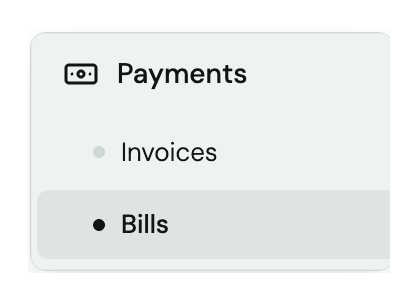
Payments menu expanded to Bills in the Truss sidebar
-
Open an existing bill, or select Create bill to add a new one.
Create bill button in the Bills view
Truss shows you everything before you confirm: the standard arrival date, the guaranteed Express date, how many days sooner it arrives, and the exact fee. In the example below, a $90,000.00 bill that would normally arrive Jul 24 instead arrives guaranteed Wed, Jul 22 — 2 days sooner — for +$119.69.
Pay bill panel with the Express toggle set to On, showing the guaranteed arrival date, days saved, and the fee added to the total
Not every bill needs it. A payroll run due tomorrow might be worth expressing; a vendor bill with two weeks of runway probably isn't. The choice is per-payment, every time.
Same-day cutoff: Express payments confirmed before 2:24 PM ET send the same business day. After the cutoff, they send the next business day.
How much does an Express payment cost?
An Express payment costs 1.75% of the amount that's still settling, with a $1 minimum.
The key thing: you're only charged on the part of the payment that hasn't settled yet — not the whole payment. If most of your funds have already cleared and only a small slice is still on its way, you only pay 1.75% on that slice. Because of this, your fee shrinks as your money settles, often all the way to zero. Wait a little and more of your deposit clears, and the amount we'd advance — and the fee — gets smaller.
| Payment | Amount still settling | Express fee |
|---|---|---|
| $5,000, fully settled | $0 | No fee |
| $5,000, with $1,000 still settling | $1,000 | $17.50 |
| $600, with $40 still settling | $40 | $1.00 (min) |
You'll always see the exact dollar amount before you confirm. There's never a surprise charge, and never a fee on a payment that could already go out on its own.
Getting a paused payment moving again
Sometimes an account goes negative — most often right after a card repayment. While an account is negative, outgoing payments pause until it's back in the black. This protects you from overdrawing further. Here's how to get things moving:
- Bring your balance back to positive by adding funds. (Many customers do this the same day.)
- Once you're positive, you'll see a single option to restore your original payment dates — this sends out all the paused payments at once, as if they'd never stopped.
The restore option is one fee for the whole set, sized to the gap the negative balance created — not a separate charge per payment. It's optional, and the exact cost is shown up front. If you'd rather wait, your payments send on their own as your funds settle, at no fee.
Note: Express is never offered while your account is negative. You always fund back to positive first, then choose.
Express Payments — FAQ
Do I have to use Express?
No. Standard sending never has a fee and is always available. Express is just a faster option you can choose when a specific payment needs to move now.
Is this a hidden fee?
No. Express only ever appears when part of a payment is still settling, and the exact fee is shown before you confirm. Payments that can already send on their own have no fee and no Express option.
Is it a penalty for a late or delayed payment?
No. The settlement wait is normal for bank transfers (ACH takes about two business days), and your payments always arrive on the dates we quote. Express isn't a fix for something broken — it's the option to go faster than the standard timeline.
Why is there a fee at all?
When you express a payment, Truss fronts the money that hasn't settled yet so it can go out today. The fee covers advancing those funds until your own deposit settles and repays it, usually a day or two later.
Can I express a check?
No. Express applies to ACH (Direct Deposit) payments. Checks settle differently and can't be advanced.
Will expressing one payment delay another?
No. Expressing a payment never uses funds set aside for your other payments, and never pushes another payment back.
Is there a limit to how much I can express?
Yes. There's a daily limit on how much money you can move ahead of settlement, shared across Express Payments and instant transfers. If a payment is over the limit, we'll show you how much room is left and when it resets, rather than hiding the option.
When does my expressed payment actually send?
The same business day, if you confirm before the 2:24 PM ET cutoff. After that, it sends the next business day.