How Your Truss Card Balance Gets Repaid
Your Truss charge card is repaid from your cash account every business day. Here's how the automatic payment works and how to see exactly which expenses it covers.
When your balance is repaid
Your Truss charge card works like a debit card. Every purchase draws against your available Truss cash balance, not a line of credit. To keep that balance accurate, Truss automatically repays your card balance from your cash account every business day.
You don't need to do anything to trigger this. The payment runs on its own, and your available card spending limit resets as your cash balance is applied.
Why you'll never see a bill
Because the balance is repaid every business day straight from your cash account, there's no monthly statement to pay down and no interest to worry about. What you spend on the card is simply moved out of your cash balance on the next business day.
⚠️ Weekends slow the repayment, not the spending
Auto-repayment runs on ACH, and ACH doesn't process on Saturday or Sunday. Purchases still post right away over the weekend, but the payment for them waits until the next business day. That's normal, and you'll usually see a couple of larger catch-up payments on Monday or Tuesday once banking resumes.
Finding the automatic payment
Each repayment shows up as its own line item in your transaction history so you can always see it and reconcile it.
- Go to Transactions in your Truss dashboard.
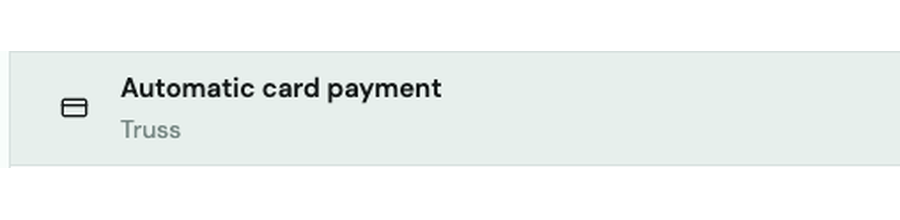
- Look for an entry labeled Automatic card payment, listed under Truss.
Seeing which expenses it covers
Every automatic card payment is tied to the specific card purchases it's paying off. Click into the payment to open its detail view.
- Click the Automatic card payment entry.
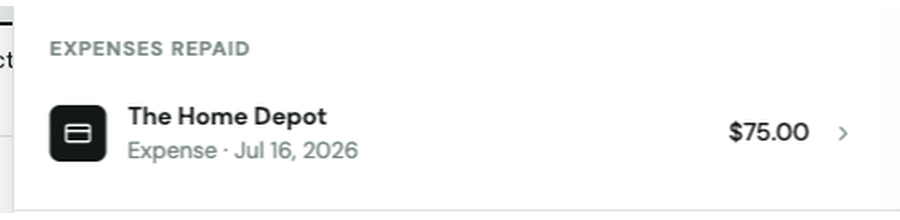
- Scroll to the Expenses repaid section.
- You'll see each underlying expense listed with the merchant, date, and amount, so you can match it back to a specific purchase.
This is the easiest way to confirm exactly what a repayment covered, especially if you're reconciling receipts or tagging expenses for bookkeeping.